
Developer Tools · Developer Tools
Shotfolio: App Screenshots
category
Developer Tools



About this app
All your App Store screenshots in a minute — no Figma, no design skills, no subscription. Shotfolio turns plain screenshots into a polished App Store page, right on your Mac.
WHY SHOTFOLIO • Works offline — your screenshots never leave your computer • No accounts, no subscriptions, no watermarks • Every required size and language in one click • One simple window: drop, style, export
REALISTIC DEVICE FRAMES Your screenshots appear inside beautiful device mockups with Dynamic Island, side buttons and metallic edges. iPhone 6.9″, 6.5″, 6.1″, iPad 13″ and 11″ — portrait and landscape.
SIX SMART LAYOUTS Text above or below the device, dramatic bleed-off compositions, tilted devices at any angle you like, two devices side by side, or full-screen shots. Move and scale the device freely.
BEAUTIFUL BACKGROUNDS Gradients with adjustable angle, soft mesh gradients, or your own image. Turn on panoramic mode and the background flows seamlessly across all your slides — a look users love to swipe through.
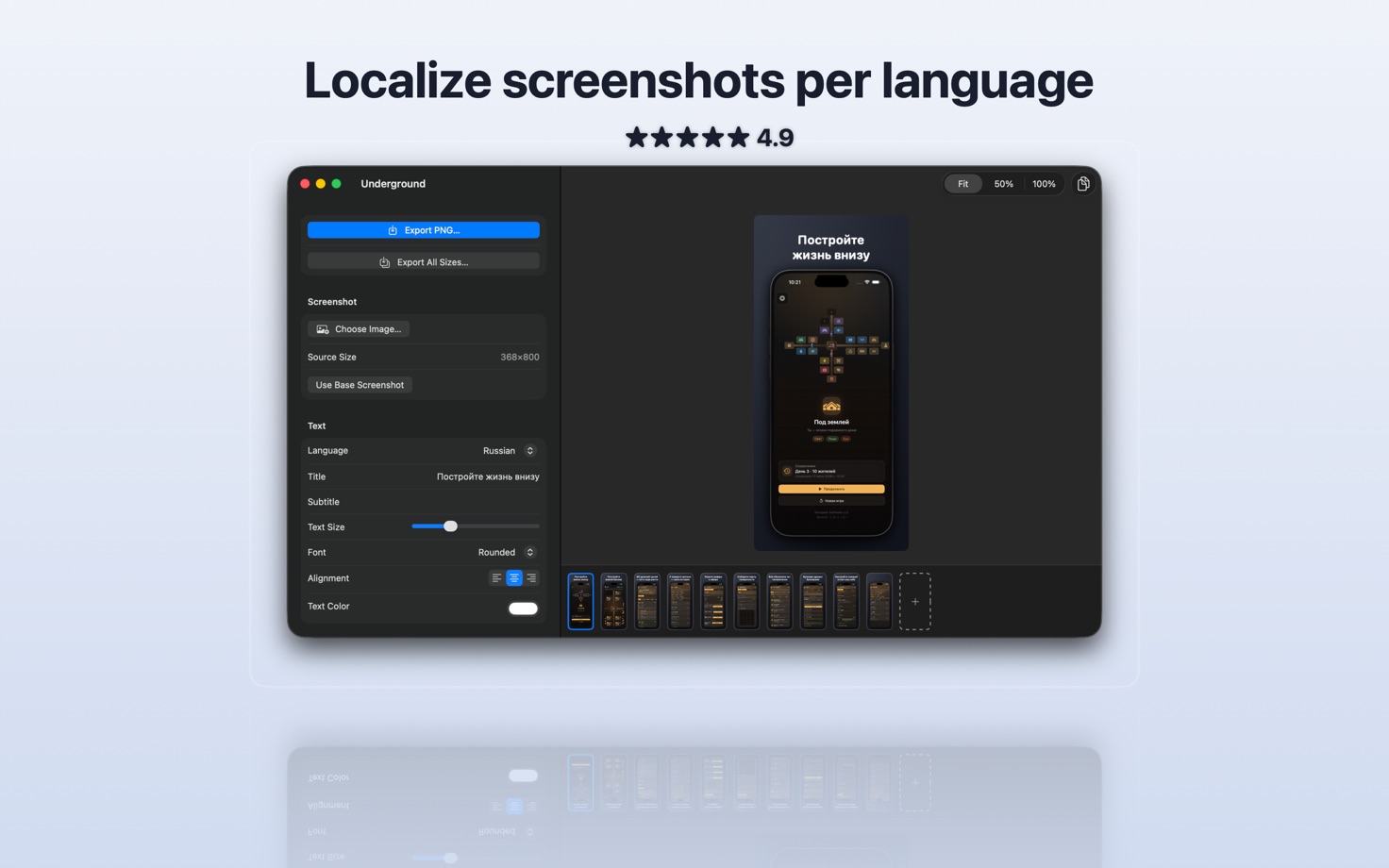
LOCALIZE EVERYTHING Write headlines in multiple languages and export a fastlane-ready folder structure. Ship screenshots for your entire international audience in one click.
DETAILS THAT SELL Add rating stars, award badges and arrows — drag them right on the preview. Fine-tune shadows, add a reflection, choose any font installed on your Mac.
BUILT FOR REAL WORK • Slide sets — up to 10 screens per project, reorder and duplicate freely • Project files — save your work, come back anytime • Batch export with progress — all sizes × all languages at once • Drag a thumbnail straight to Finder for a quick single PNG • Copy to clipboard, undo/redo, aspect-ratio warnings
Drop your screenshots in — and ship your App Store page today.
Details
- version
- 1.0
- updated
- Aug 3, 2026
- released
- Aug 3, 2026
- size
- 0.9 MB
- requires
- iOS 26.2+
- age rating
- 4+
- category
- Developer Tools


